The three Pakistani residents who were holding fake Aadhaar Cards has been arrested with the Kerala based man who assisted their stay on the Kumaraswamy Layout. In this matter another culprit has been caught which is the senior lady doctor from Jayanagar Government Hospital who helped the three Pakistanis to get Aadhaar Cards during their illegal stay in Bengaluru.
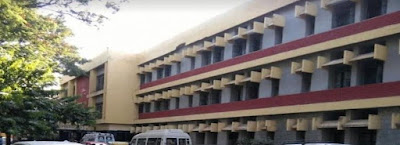
Police have arrested this Senior Doctor named Dr C.S. Nagalakshmamma, who is Deputy Chief Medical Officer and a Gazetted officer who helped those three Pakistani Nationals in attesting their documents which the middle man Mohammed Shihab 26 years old had bought for verification.
Mohammed Shihab has also told investigators that they had sent Rs.100/- each for getting the documents which allowed them to proceed to apply for Aadhar. However the Dr C.S. Nagalakshmamma has not yet admitted that she has taken money to attest those documents of Pakistani Nationals.
During the raid in Mohammed Shihab's house in Kumaraswamy Layout, The Central Crime Branch had found three Pakistani Residents named Sameera alias Najma whom Mohammed Shihab had married, her cousin Khasif Shamshuddin and his wife Kiron Ghulam Ali. The Central Crime Branch also found Aadhaar Card in their names as well.
When The Central Crime Branch started the investigation they found that Mohammed Shihab got three Pakistanis Aadhaar Card by taking Rs.100/- each from those Pakistani Nationals. Mohammed Shihab also revealed that he got the documents verified from Dr Nagalakshmamma and produced them to apply for Aadhar Card at Aadhaar centre at Kadirenahalli.
The Senior Dr C.S. Nagalakshmamma admitted that she has signed the documents but she didn't had any clue that the documents like rental agreement were of Pakistani Nationals. The case has been filed against Dr C.S. Nagalakshmamma by UID Bangalore Regional Deputy, Ashok Lenin for helping the Pakistani Nationals in getting Aadhaar Cards.
Comments
Post a Comment